PC repairs & troubleshooting
Crashes, slow computers, Windows problems, strange errors and machines that have simply decided not to cooperate.


IT & PC Services
PC repairs, custom builds, upgrades, troubleshooting and practical local support for homes and small businesses.
Tell us what the machine is doing, what you need it to do instead and how urgent it is. We can work out whether it is a repair, an upgrade, a call-out or something simpler.
Crashes, slow computers, Windows problems, strange errors and machines that have simply decided not to cooperate.
Gaming, work and creative PCs specced around what you actually use, with sensible parts instead of an expensive list for the sake of it.
Storage, memory, graphics, new-computer setup, data transfers and the upgrades that are actually worth doing.
On-site help, workstation setup, Wi-Fi and networking basics, peripherals and practical support when the problem is better solved where it lives.
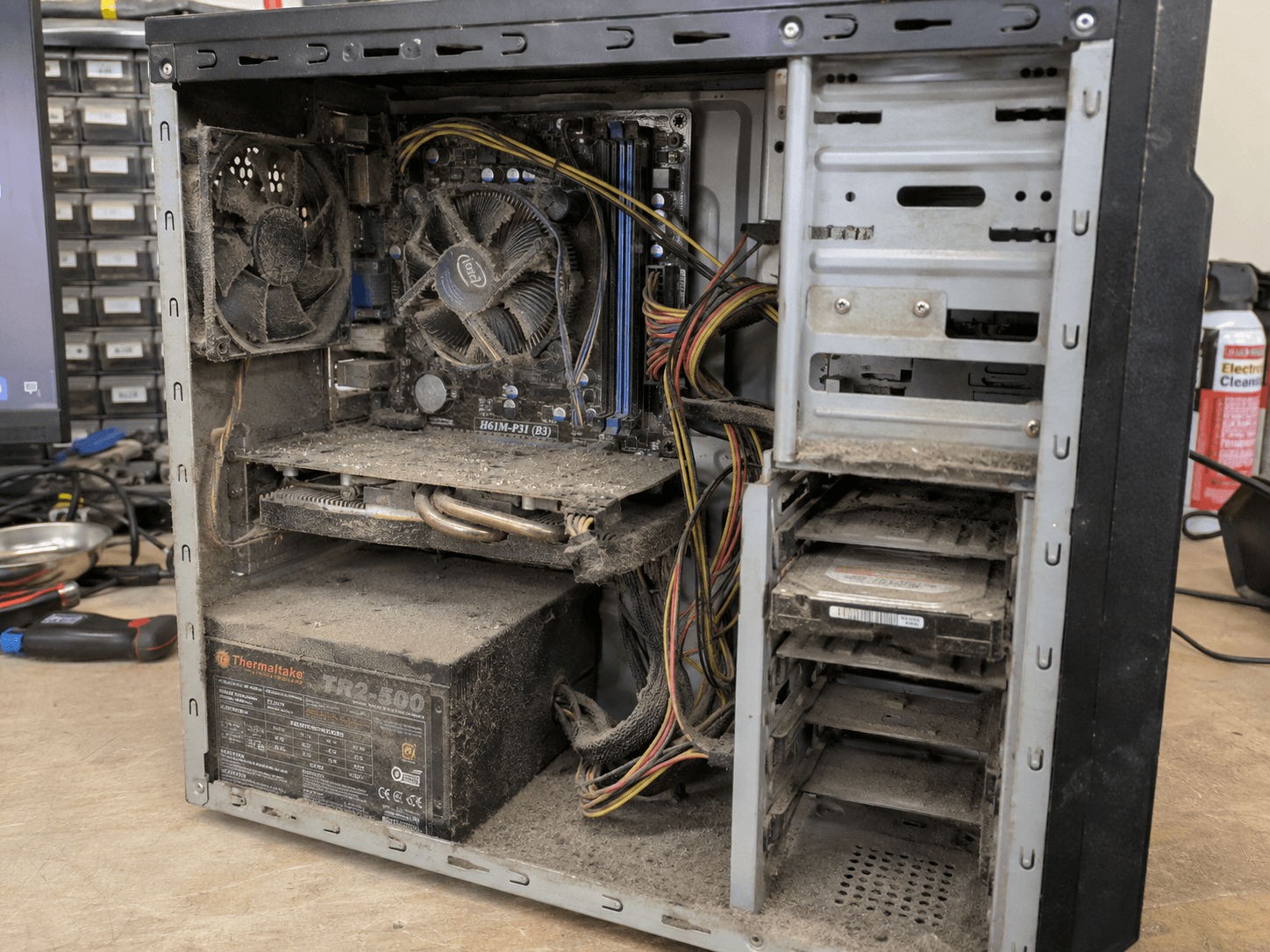
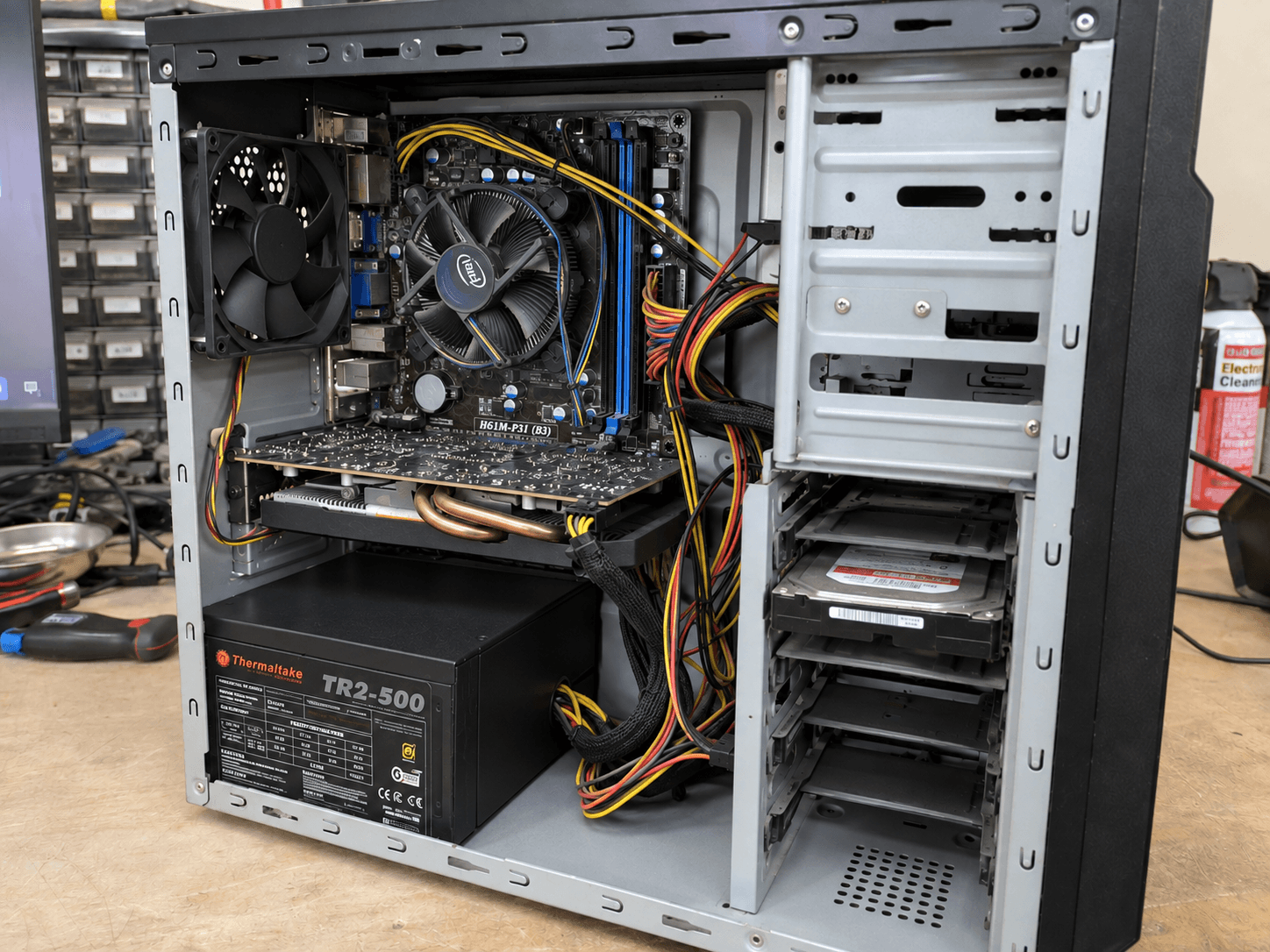
Repairs and tech support are easier to trust when you can actually see the work. These are examples from previous MAD jobs — cleaning, diagnostics, upgrades and complete PC builds.
Dust and restricted airflow can make an older machine louder, hotter and harder to keep reliable. A proper clean gives us a much better starting point before diagnosing anything else.
Gaming, creative and work PCs can be specced from the ground up rather than starting with a prebuilt machine full of compromises.
That keeps a simple problem simple and stops you buying parts before anyone has worked out what is actually wrong.
What changed, what still works and what you have already tried.
Drop-off, call-out or remote support depending on the job.
We find the likely cause and talk through the sensible options.
You know what was changed and what is worth doing next.
These are the same priority levels used on the contact form, so you can tell us quickly how much the problem is getting in the way.
You cannot work or use the computer at all.
You need it sorted as soon as reasonably possible.
It needs attention within the next few days.
No rush — you are planning ahead or fixing an annoyance.
Use the contact form to tell us what is happening and how urgent it is.


